What is CGDI BMW Programmer?
CGDI BMW Programmer is special programmer for BMW key programming +BMW Diagnosis+IMMO Security 3 in 1.CGDI BMW Programmer support
CAS4/CAS4+ All Key and newly add BMW FEM/EDC function.

CGDI Prog BMW Features:
1.Multi-Function support Auto diagnose, programming and security maintenance 3 in 1.
2.Support Key Programming for BMW CAS1/CAS2/CAS3
3.Support Key Matching and All key lost for CAS4 /CAS 4+;
4.Support BMW Key Programming with OBD Functions
5.Software response fast, short time programming, and new breakthrough in operation safety and technical support.
6.Supported Languages: Chinese, English
7. Certification: CCC,CE,GS, CCC,CE,GS,ISO
8.Support FEM/BDC Key Matching
9.Support BMW engine computer DME replacement.
10.Support BMW MSV80/MSD80/MSD85/series OBD read ISN code (no need to split computer when matching key)Exciusively support in Domestic
11.Support BMW Key unlock.
CGDI Prog BMW MSV80 Support Model list:
| Model | Has key to match key | Without key to match | Read ISN code | Replaceengine computer DME | BMW Key unkock | Working time |
| CAS1 | support | support | support | 1 minute | ||
| CAS2 | support | support | support | support | 1 minute | |
| CAS3 | support | support | support | support | 1 minute | |
| CAS3+ | support | support | support | support | 1 minute | |
| CAS4 | support | support | support | 30 seconds | ||
| CAS+ | support | support | support | 30 seconds |
How to Use CGDI BMW to Disable/Enable BMW F-series Keys
Part 1:Enable BMW F-series Keys
Part 2:Disable BMW F-series Keys
Enable BMW F-series Keys
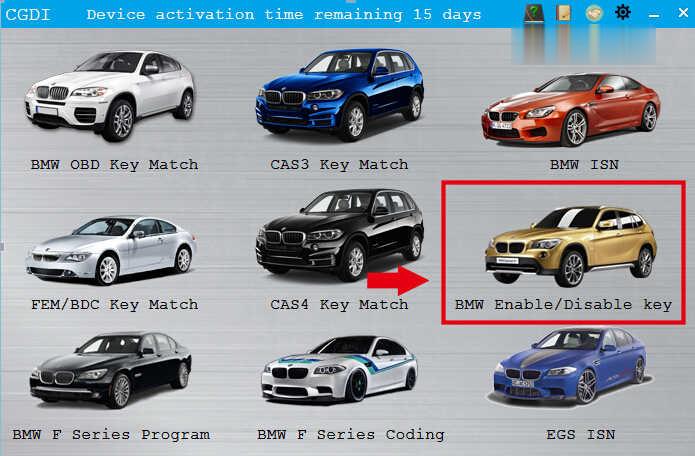
Enter the CGDI BMW Menu to select “BMW Enable/Disable Key”
After enter the software then click “Display key information”
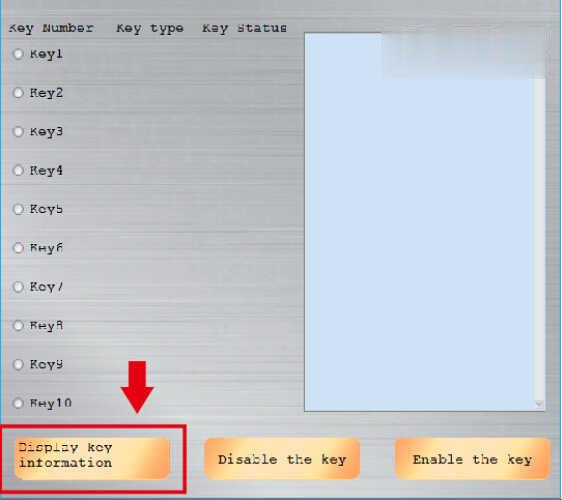
Then CGDI BMW will read the information of key

Select the key positions you want to enable

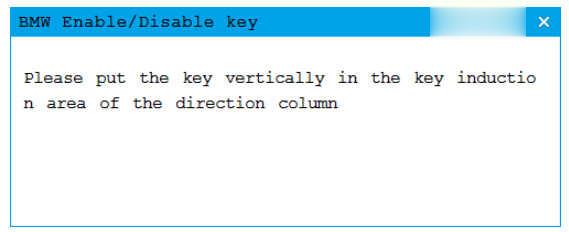
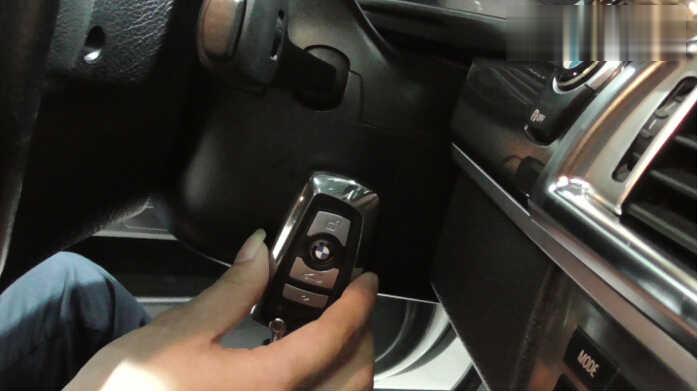
Software prompt “Please put the key vertically in the key induction area of the direction column”
Disable BMW F series Keys
Enter the CGDI BMW Menu to select “BMW Enable/Disable Key”
After enter the software then click “Display key information”
Then CGDI BMW will read the information of key
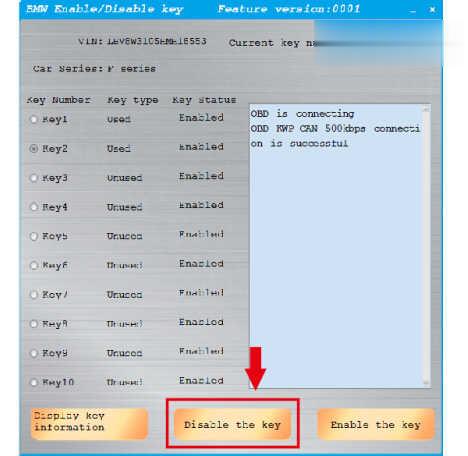
Select the key positions you want to disable
Click “Disable the key”
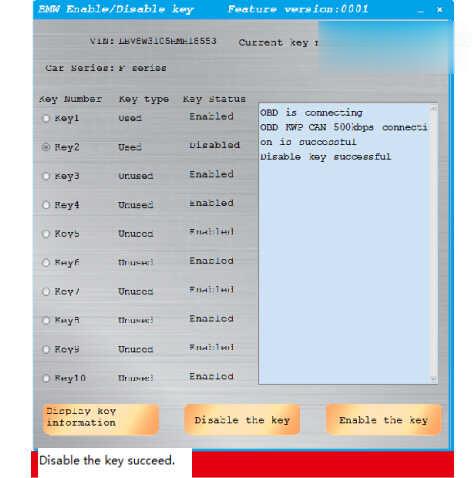
Software prompt “Disable the key succeed.”
Done!
