ISUZU US-IDSS II 2025 Diagnostic Software Free Download

What is Isuzu E-IDSS? Isuzu E-IDSS is abbreviation of Isuzu Diagnostic Service System for Engine. E-IDSS Engineering Release is designed to support Isuzu Engines. With each new release of the E-IDSS program, additional vehicle engine configurations and controller systems may… Continue Reading →

Newest Version Cat Caterpillar ET 2025A Electronic Technician Diagnostic Software is released

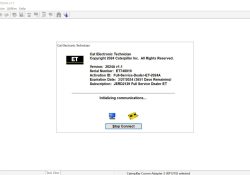
Caterpillar Electronic Technician 2025A (Cat ET Software) is Caterpillar dealers’ diagnostic software. It communicates diagnoses and services electronically controlled Caterpillar engines and machines. When connected to an ECM, a technician can diagnose existing and potential problems, configure the product, and… Continue Reading →

How to change language on John Deere Diagnostic Software

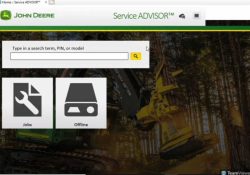
How to change language on John Deere Diagnostic Software 1.Running software, find the settings icon in the upper right corner 2.Click select one, there are many language can choose. Notice: before running software, pls connect network, otherwise the language will… Continue Reading →

How to connect cat et device via WIFI function

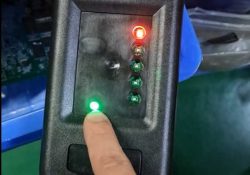
How to connect cat et device via WIFI function 1.connect device with your car,power to cat device,light of power and WiFi will on 2.conneyt WiFi module with your laptop,light will on 3.WiFi module and cat device will match automatically, the… Continue Reading →

The Difference Between the 4 Volvo Software

1.Two different diagnostic software (1)Volvo Premium Tech Tool PTT2.8.241 Software Volvo Premium Tech Tool PTT2.8.241 is the Diagnostic Software that dealers use to communicate with V-olvo Trucks. This software gives you all functionality including parameters changing , injector cut-out test,… Continue Reading →

How to distinguish FAKE and REAL CAT Caterpillar ET-3?

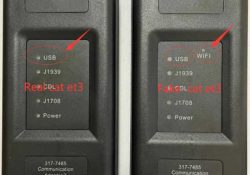
Product Description CAT Caterpillar ET Diagnostic Tool from Caterpillar provide the capability to access Electronic Control Modules (ECMs) from a personal computer. Many job-critical tasks can be performed with an electronic service tool. The user can display the status of… Continue Reading →

Precautions for first-time use of SDP3 software

Problem: Please needs to be activated Reply: Hello, pls enter to BIOS ,turn off security. Video: https://www.youtube.com/watch?v=brXcxmdWU9Q And then send us the teamviewer id and password. engineer will activate remotely. Problem: AM ON TRUCK SHOWING NO KEY AVAILABLE CANT GO INTO TRUCK Reply:… Continue Reading →