8 VDC Supply Voltage Below Normal – Diagnostic Code SPN 678 – FMI 4
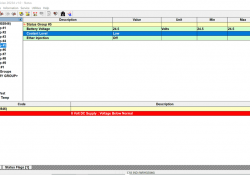
8 Volt DC Supply: Voltage Below Normal (CDL Code: 41-4) Use this procedure to troubleshoot the electrical system if a problem is suspected with a sensor supply. 8 VDC Supply: Voltage Above Normal (CDL Code: 41-3) 8 VDC Supply: Voltage… Continue Reading
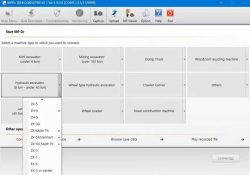
Hitachi Excavator Heavy Duty Diagnostic tool with mpdr 3.9 software

Introduction: In the world of heavy machinery, efficiency and reliability are paramount. To ensure optimal performance and minimize downtime, it is crucial to have a diagnostic tool that can accurately pinpoint issues in engine, hydraulic, and electrical systems. The Hitachi… Continue Reading

How to Check Air in Caterpillar Fuel and Engine Speed

Checking the air in the fuel system of your Caterpillar engine is an important maintenance task that can help identify potential issues and ensure optimal performance. Here are the steps to follow: 1. Check for fuel system leaks: Start by… Continue Reading

How to Disable the Adblue System on Caterpillar Machines

The Adblue system, also known as the Selective Catalytic Reduction (SCR) system, is designed to reduce harmful emissions in diesel engines. However, some Caterpillar (CAT) machine owners may want to disable this system for various reasons. If you are looking… Continue Reading

CAT 239-9967 Bypass Messenger Harness for Flash the New CAT Messenger Display

CAT 239-9967 Bypass Messenger Harness for Flash the New CAT Messenger Display 239-9967 (Bypass Messenger Harness) 239-5025 (Messenger Display) →Used to flash CAT Messenger display when communication through Service Connector/ Diagnostic Port is not possible. →Used with CAT ET Software/… Continue Reading

How to Use eTechnician Diagnostic Software Function Test

Nexiq eTechnician™ provides a number of special tests to assist you with your vehicle diagnostic efforts. Most tests require you to connect eTechnician™ to a running vehicle.The tests available differ depending on the module to which you are connected. From… Continue Reading

How to Adjust the Clearance of the Pinion Gear on Caterpillar Excavator

The pinion gear clearance on the electric starter motor of a Caterpillar excavator is an important adjustment that ensures proper engagement and operation of the motor. If the clearance is not set correctly, it can lead to issues such as… Continue Reading

How to Setting or Testing the Engine Overspeed using Caterpillar ET

Here the STEPS; 1. Connect Cat ET software, click on menu “Service” then “Monitoring System”. Read More: How to Connect Caterpillar ET Software from your Laptop to ECM 2. Select Service, then Monitoring System menu. 3. Just to make sure,… Continue Reading

How to Use Cat ET Diagnostic Software to Change ECM Parameter

When you perform programming for Caterpillar ECM,you need to use CAT ET diagnostic software to do that.Here show the guide on how to use CAT ET diagnostic software to do parameter values changing.  more informaiton about Caterpillar, click Caterpillar Trouble… Continue Reading

Caterpillar Adapter 3 and ECM Communication Error Solutions

Sometime after Caterpillar communication 3 adapter connection to ECM,then you run Caterpillar ET Software,but you get error of communication.Here in this instruction show you guide on how to solve them. When communication problems occur, one of two error messages will… Continue Reading

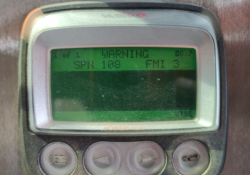
Atmospheric Barometric Pressure Voltage High – Diagnostic Code SPN 108 – FMI 3 (On-Highway Truck)

SPN108 FMI3 – Atmospheric/ Barometric Pressure High PID 0108 FMI 03 #Conditions Which Generate This Code: The Engine Control Module (ECM) detects the following conditions: →The signal voltage from the Atmospheric/ Barometric Pressure Sensor is greater than 4.95 VDC for… Continue Reading

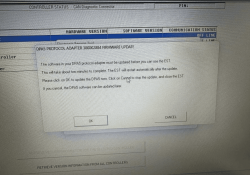
How to update New Holland CNH DPA5 hardware?

Connect CNH hardware from your machine to your laptop, CNH works,but when you open CNH EST software,the screen will prompt to update DPA5, pls check the picture: Just click “ok”,it will go to there,like the picture: Waiting to load 100%.Then… Continue Reading