Wiggle Test on Caterpillar ET Software
Wiggle Test on Caterpillar ET Software Accessing the Wiggle Test #Purpose The Wiggle Test function is used to determine if an intermittent wiring problem exists. While a physical component (wiring harness, sensor, connector, etc) is “wiggled” or moved, the test… Continue Reading
Causes and solutions of mechanical noise (knocking sound) and excessive fuel consumption in Caterpillar excavator engines

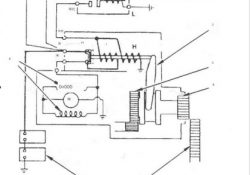
Causes and solutions of mechanical noise (knocking sound) and excessive fuel consumption in Caterpillar excavator engines. 1. Mechanical noise (knocking) in the engine The possible causes and solutions are as follows. (1) The connecting rod bearing is damaged. Check the… Continue Reading

Noregon DLA 2.0 Adapter Error Codes

Noregon DLA 2.0 Adapter Error Codes 704 An invalid buffer parameter was used. 705 The packetization flag should be 1 or 0. 706 Blocking while using window handle notifications is not allowed. 707 One or more of theFilters have an… Continue Reading

How to solve the problem that John Deere Service Advisor pdf file can’t open?

Recently some buyer meet the problem that John Deere Service Advisor pdf file can’t open,pls check below picture: The reason is that the pdf load tool is broken.As for it,you can contact us new pdf load tool,or you can delete… Continue Reading

Common Engine Faults

There are numerous engine faults that can occur in different types of engines, including petrol and diesel engines. Here are some common engine faults you may encounter: 1. Misfire: A misfire occurs when one or more cylinders are not properly… Continue Reading

Connecting NEXIQ First-Link using Smartphone (USB-Link 2 Bluetooth)

NEXIQ First-Link Mobile Apps #Preparing to Use the USB-Link 2 (Bluetooth version); 1). Download and install the First-Link Mobile Apps on your Smartphone (iOS/ Android). Free download here. 2). Connect the USB-Link 2 to a Vehicle (refer to Figure 1.1… Continue Reading

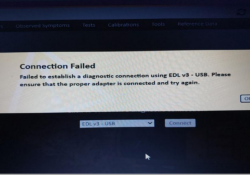
How to solve “Connection Failed” for John Deere Service Advisor EDL V3?

Some customers meet the problem “Connection Failed”,check below picture,how to solve it? First,you have to make sure that you connected the machine and keep ignition on.Then choose EDL V1 V2 to connect,please check the picture with remarked area.After changing it,you… Continue Reading

TRAINER on Caterpillar ET Software

Trainer #Purpose: Trainer runs the service tool in a training mode, which allows the user to become familiar with the service tool without connecting to an Electronic Control Module (ECM) or Communications Adapter Caterpillar ET. There is no charge for… Continue Reading

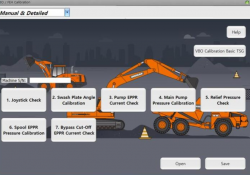
How to use Doosan DMS-5 diagnostic software Joystick check function

Here is a details guide on how to use Doosan DMS-5 diagnostic software Joystick check function,it include: Pressure check according to a joystick,Boom Up, Boom Down, Arm In, Arm Out, Bucket Crowd,Bucket Dump, Travel Right, Travel Left, Swing Pressure. Preparations:… Continue Reading